How to Program the MPS MP2949A — Complete Guide + Logic
Introduction
How to Program the MPS MP2949A — Complete Guide + Logic
The MP2949A is a digital multi-phase power controller from Monolithic Power Systems (MPS) that’s commonly used as a CPU core power controller on modern laptop and desktop motherboards. It handles multiple power rails and phases for CPU cores, integrated graphics, and system agent rails.
In many motherboard repair and BIOS-level modification cases, technicians read or write configuration data stored in the MP2949A device to fix broken power calibration settings, recover boards that fail POST, or customize voltage profiles.
Here’s how the process works in detail.

✅ 1. What Is MP2949A & Why Program It?
The MP2949A is not a microcontroller where you upload a program like Arduino code. Instead, it’s a highly configurable power management controller with internal non-volatile memory (MTP) that stores configuration and calibration parameters.
Key capabilities:
Triple-rail digital multi-phase PWM controller for CPU power distribution.
Supports up to 6 phases across core, graphics, and system agent rails.
Digital control and monitoring via a serial bus interface — typically PMBus / I2C/SMBus.
Stores configuration registers in internal NVM (MTP) for things like load line, voltage limits, loop settings, fault behavior.
You program the MP2949A to adjust those configuration registers — for example:
✔ Customize load-line response for different CPU models
✔ Restore default settings on corrupted boards
✔ Read current register values for diagnostics
✔ Backup or clone power settings from a working board
✅ 2. The Programming Interface — PMBus / I²C / SMBus
Unlike typical flash chips (SPI), MP2949A is programmed over a two-wire serial bus:
📌 SDA — Serial Data
📌 SCL — Serial Clock
📌 GND — Common ground reference
This is essentially PMBus (Power Management Bus) — a superset of SMBus/I2C optimized for power controllers.
How Data Is Accessed
The controller’s internal registers are accessed using standard SMBus/PMBus read/write commands:
You send a register address over the serial bus
The device responds with the data stored there
You can also write values to change behavior
Many registers control VOUT, voltage-sensing, loop compensation, fault limits, etc.
Some advanced PMBus tools also allow block-read and block-write operations to download or upload large chunks of configuration data.
✅ 3. Tools You Need to Program MP2949A
There are two common modes to program the MP2949A:
🟢 Online Mode
Program while the chip is still on the motherboard.
Connect SDA, SCL, and GND pins from the programmer to the board pins.
Boot the board just enough to bring the system bus alive.
The programming software identifies the device ID and communicates with it.
🔵 Offline Mode
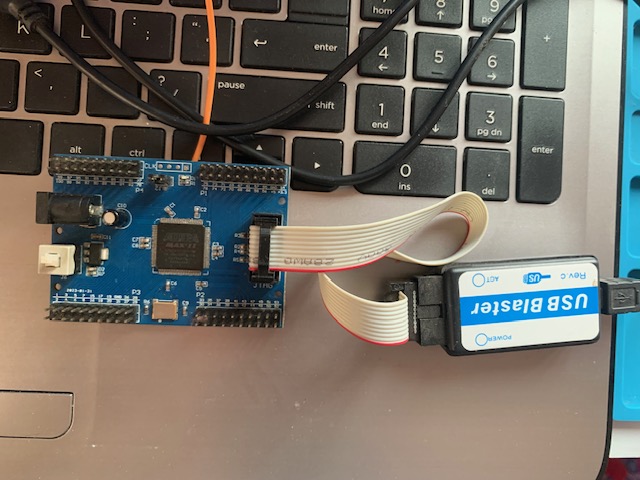
Chip is desoldered from the board and placed in an adapter (ZIF or socket) for programming.
Both are supported by many modern MPS programmers.
🔧 Recommended Hardware Programmers
Here are typical tools used in practice:
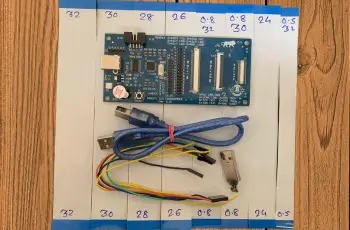
✅ MPS PMBus Programmer (Online/Offline)
Supports MP2949A and many other MPS power ICs.
Connects over USB to a PC.
Dual-mode operation: motherboard interface or offline adapter.
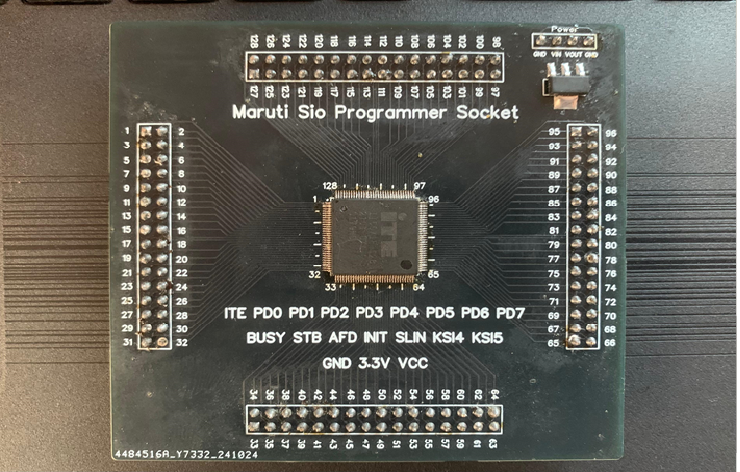
✅ XZZ MPS Programmer Offline Board
Provides offline socket and cable for writing chips removed from boards.
🧰 Standalone USB to I2C Converters
Cheap converters like MCP2221 or similar can be repurposed if you know the register map and protocol. One forum user documented using MCP2221 for read/write operations on MP2949A.
🖥 4. Software for MP2949A Configuration
Official Tools
MPS provides GUI tools for PMBus devices that let you:
✔ Detect connected devices
✔ Read register blocks
✔ Modify configuration values
✔ Write to non-volatile registers
✔ Save/backup register maps
These tools often ship with the official EVKT-USBI2C-02 interface from MPS (registration usually required to download).
Typical Workflow with Software
Connect programmer and motherboard or chip socket.
Launch software — device should show up if SDA/SCL/GND are connected properly.
Read device registers (sometimes called “Import Configuration”).
Modify parameters or load a pre-made config file.
Write back to NVM (“WRITE TO NVM”).
🧠 5. Understanding the Logic of MP2949A
It helps to know what programming really affects:
🔹 Control Registers
These define:
✔ Output voltage setpoints
✔ Load line and droop behavior
✔ Phase count and timing
✔ PWM frequency
✔ Current limits
🔹 Monitoring & Telemetry
Registers also provide runtime info:
✔ Output current (IMON)
✔ Input/output voltages
✔ Power and temperature status
✔ Fault/state indicators
This is exposed via PMBus registers and is useful for diagnostics or logging.
🔹 Protection & Fault Behavior
MP2949A can be configured to handle:
Over-current protection
Over/under voltage conditions
Overheat shutdown
Retry or latch fault responses
These are all configurable via register fields.
💡 6. Step-by-Step: Programming MP2949A (Overview)
Here’s a general roadmap:
Step 1 — Identify Connection Points
Locate SDA, SCL and GND near the MP2949A pins on your board. This often requires a schematic or board view.
Step 2 — Connect Programmer
Use the appropriate cable (online mode) or socket adapter (offline mode).
Step 3 — Launch Software & Detect Device
Open your PMBus/I2C GUI tool and confirm the MP2949A is seen.
Step 4 — Read All Registers
Export a full snapshot. This is your backup.
Step 5 — Adjust Config or Load File
Either tweak values manually or load another board’s working profile.
Step 6 — Write Back
Commit changes to non-volatile memory. Verify success.
⚠️ Important Notes & Precautions
✔ Do not write random values. Incorrect VO settings can damage CPU or board.
✔ Always backup registers first. You must be able to restore.
✔ Ensure stable power. Interruption during PMBus writes can corrupt NVM.
🧾 Conclusion
Programming the MPS MP2949A is not like uploading firmware to a microcontroller. It’s about reading, modifying, and writing configuration registers over PMBus / I²C / SMBus, using specialized programmers/tools. This lets technicians repair or tune the CPU power-supply controller on laptops and desktops.
With the right hardware interface and GUI tool, you can:
✅ Read existing configuration
✅ Modify power-related parameters
✅ Restore or clone settings
✅ Diagnose power system behavior
All these capabilities make the MP2949A a powerful but advanced controller — programming it requires care, proper tooling, and understanding of PMBus.
If you want, I can also draft a step-by-step practical wiring guide (including pin-level captures, voltage considerations, and sample register maps) for common laptop boards using this chip. Would you like that?
You Want Buy Our Products Contact Us On What's App or Telegram.
Contact us on whatsapp & Email
Whatsapp : +918347254592
Email : marutiitexperts@gmail.com
Website : www.marutiitexperts.com
Address: G-1,2,3, Dhanajay Complex, behind Ajay Book Stall Nest, off Mota Bazaar Road, Mota Bazaar, Vallabh Vidyanagar, Anand, Gujarat 388120, India